Count only the savings you can prove.
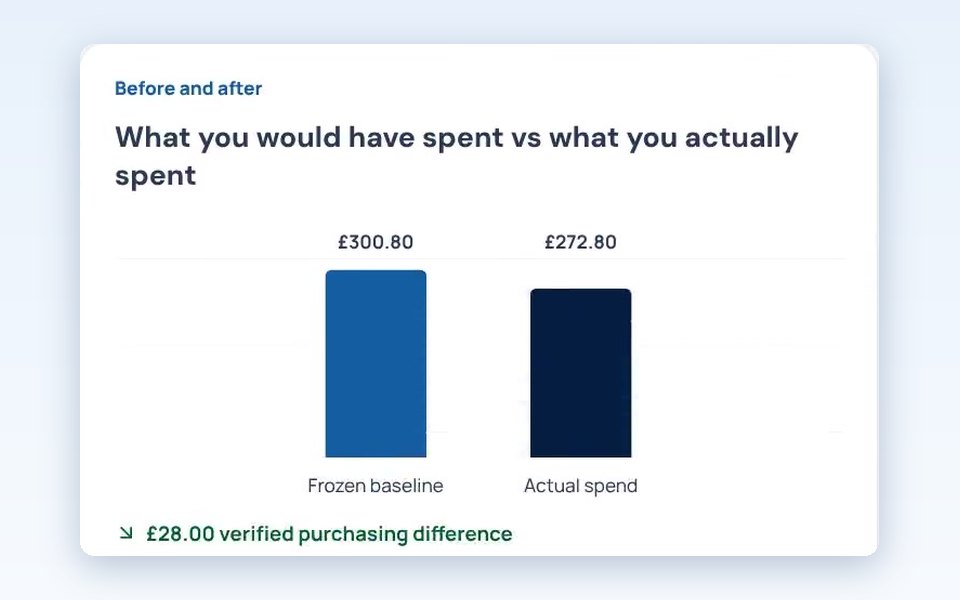
Total Saved compares what you pay now with what you paid before for the same product, using your own invoices. Possible savings, waste reduction and donations are always kept separate.
In TABLEVA now
The problem
Savings claims are easy to make and hard to check.
Estimates can be inflated and are rarely checked. Owners need to see where a saving came from, check it against their own invoices and know it really happened.
How TABLEVA helps
From your own records
A saving counts only when your invoices show you paid less for the same product than before.
Possible and proven, kept apart
Cheaper prices Luma finds stay possible savings until you actually buy at that price.
Every saving checkable
Each one traces back to the purchase behind it, so you can check it before you pay anything.
Illustrative example
Possible today, proven next week
Luma finds the same rapeseed oil cheaper. It stays a possible saving until your invoice shows you bought it at that price.
- Possible savingCheaper price found by Luma£4.20 a tub
- Proven savingYour next invoice shows the new price£4.20 a tub
Counted in Total SavedOnly the proven one
What's ready, and what's next.
We say plainly what you can use today. Anything still to come is marked, and nothing switches on without you.
- In TABLEVA now
Total Saved, from your own invoices
- In TABLEVA now
Possible savings shown separately until they happen
- In TABLEVA now
Waste reduction and donations always shown apart from savings
Works with
- Invoice uploadIn TABLEVA now
- XeroComing soon
- QuickBooksComing soon


Product names and logos belong to their owners. Showing one doesn't mean that company partners with or endorses TABLEVA. Connections work only once they're switched on and you've allowed them.
See the integrations directorySee it with your own invoices.
Click around a sample restaurant first, with nothing to sign up for. Or start your free pilot and Luma begins with the invoices you already have.