An assistant that does the checking for you.
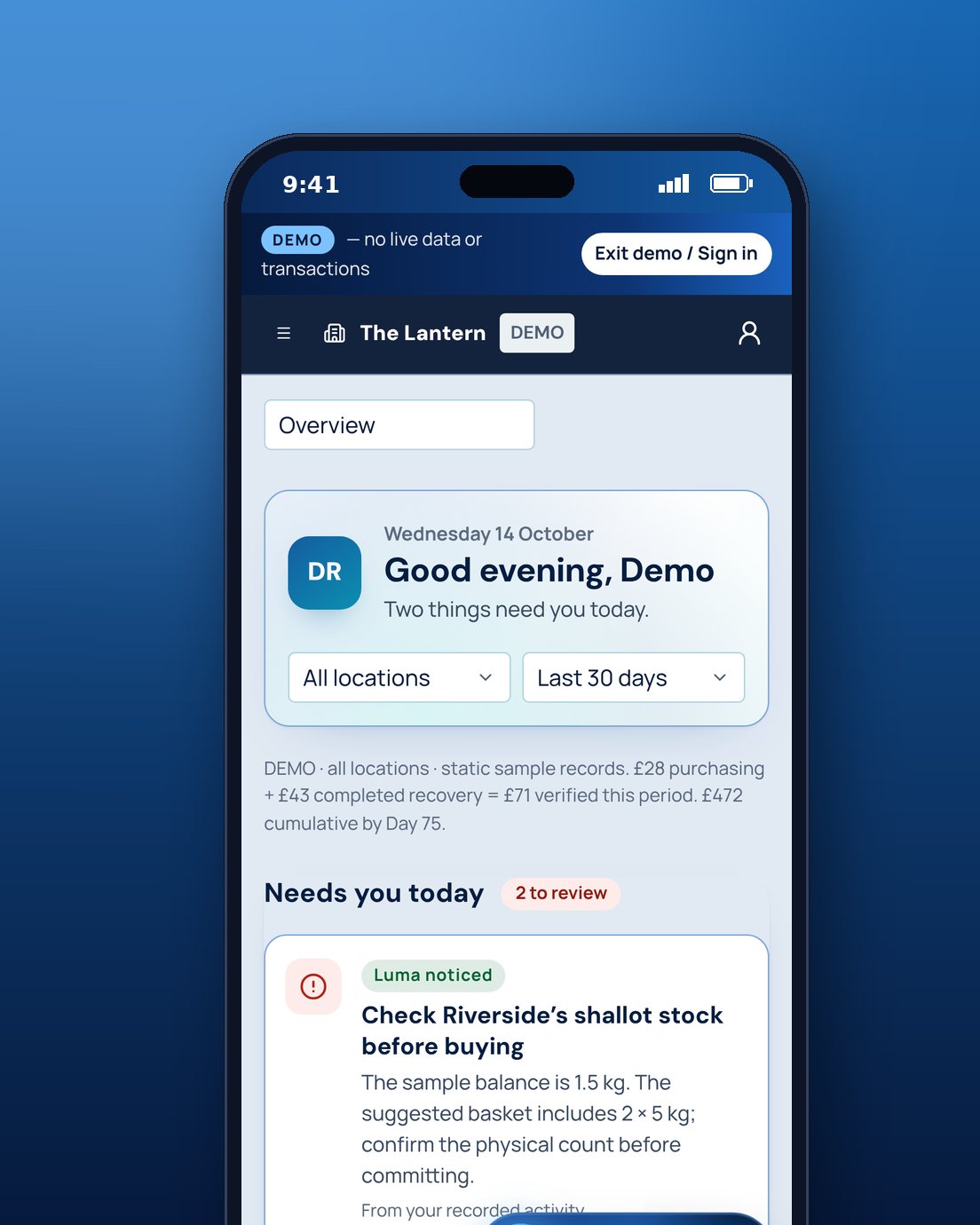
Luma reads your invoices, prices, stock, sales and menu, and turns them into the few things worth doing today. It suggests; you decide. Every suggestion shows where its figures came from.
In TABLEVA now
The problem
The answers are in your data. Finding them takes hours.
Invoices, till exports, recipes and price lists each hold part of the picture. Joining them up by hand is a job nobody has time for.
How TABLEVA helps
Three actions a day
Your Overview opens on the three things most worth your time, across buying, stock, waste, your menu and invoices.
Shows its working
Each suggestion is explained from your own records. If something is missing or out of date, Luma says so rather than guessing.
Suggests, never decides
Nothing is ordered, changed or sent until you approve it.
Illustrative example
Monday's three actions
Typical suggestions after a week of invoices, till sales and stock counts.
- BuyingDouble cream is up 18p a litre on your last invoiceCheck prices
- StockMilk shows below zero. Count it before tomorrow's orderCount now
- MenuFish pie has slipped below your margin targetSee why
What's ready, and what's next.
We say plainly what you can use today. Anything still to come is marked, and nothing switches on without you.
- In TABLEVA now
Luma's three actions on your Overview
- In TABLEVA now
Suggestions explained from your own records
- Coming soon
Your TABLEVA data in ChatGPT or Claude, seeing only what your login can see
- Not offered
Ordering on its own. You approve every order
Works with
- ChatGPTComing soon
- ClaudeComing soon
- WhatsAppComing soon


Product names and logos belong to their owners. Showing one doesn't mean that company partners with or endorses TABLEVA. Connections work only once they're switched on and you've allowed them.
See the integrations directorySee it with your own invoices.
Click around a sample restaurant first, with nothing to sign up for. Or start your free pilot and Luma begins with the invoices you already have.